
One order. One Style File.
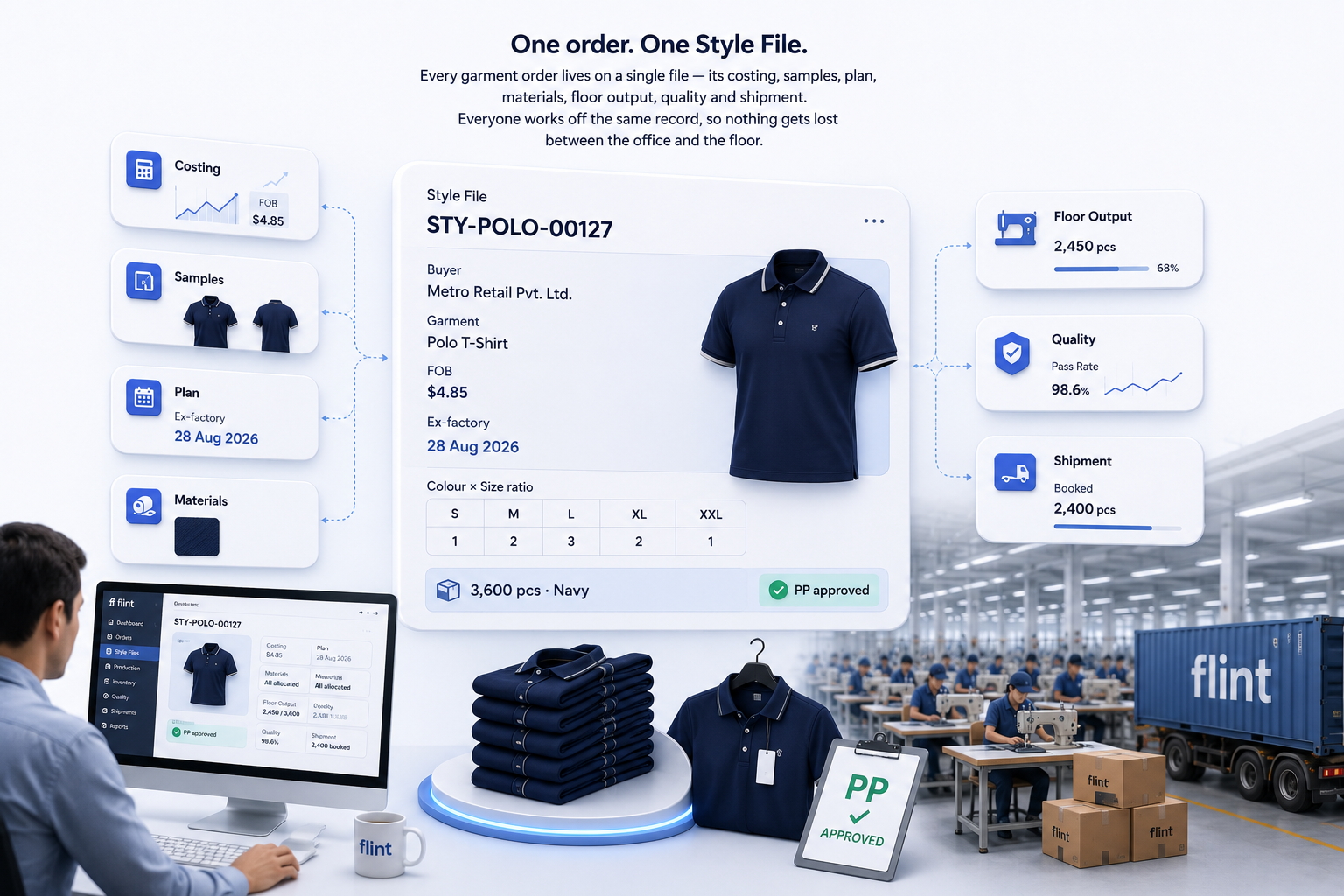
Every garment order lives on a single file — its costing, samples, plan, materials, floor output, quality and shipment. Everyone works off the same record, so nothing gets lost between the office and the floor.
✓ Runs on the same books and GST as the rest of Flint — garment isn’t a separate app.
✓ Runs on the same books and GST as the rest of Flint — garment isn’t a separate app.
Running an export order on spreadsheets means the costing is in one file, the sample status is in a chat, the plan is on a whiteboard, and the floor count is in someone’s head. When one slips, you find out late.
Garment OS puts all of it on one file — so the whole order is visible in one place.
Eight steps, one file
From buyer PO to dispatch
Eight parts of a garment order that work on one file — the Style File anchors the order, and every step from costing to shipping runs against it.
Start every order from a template
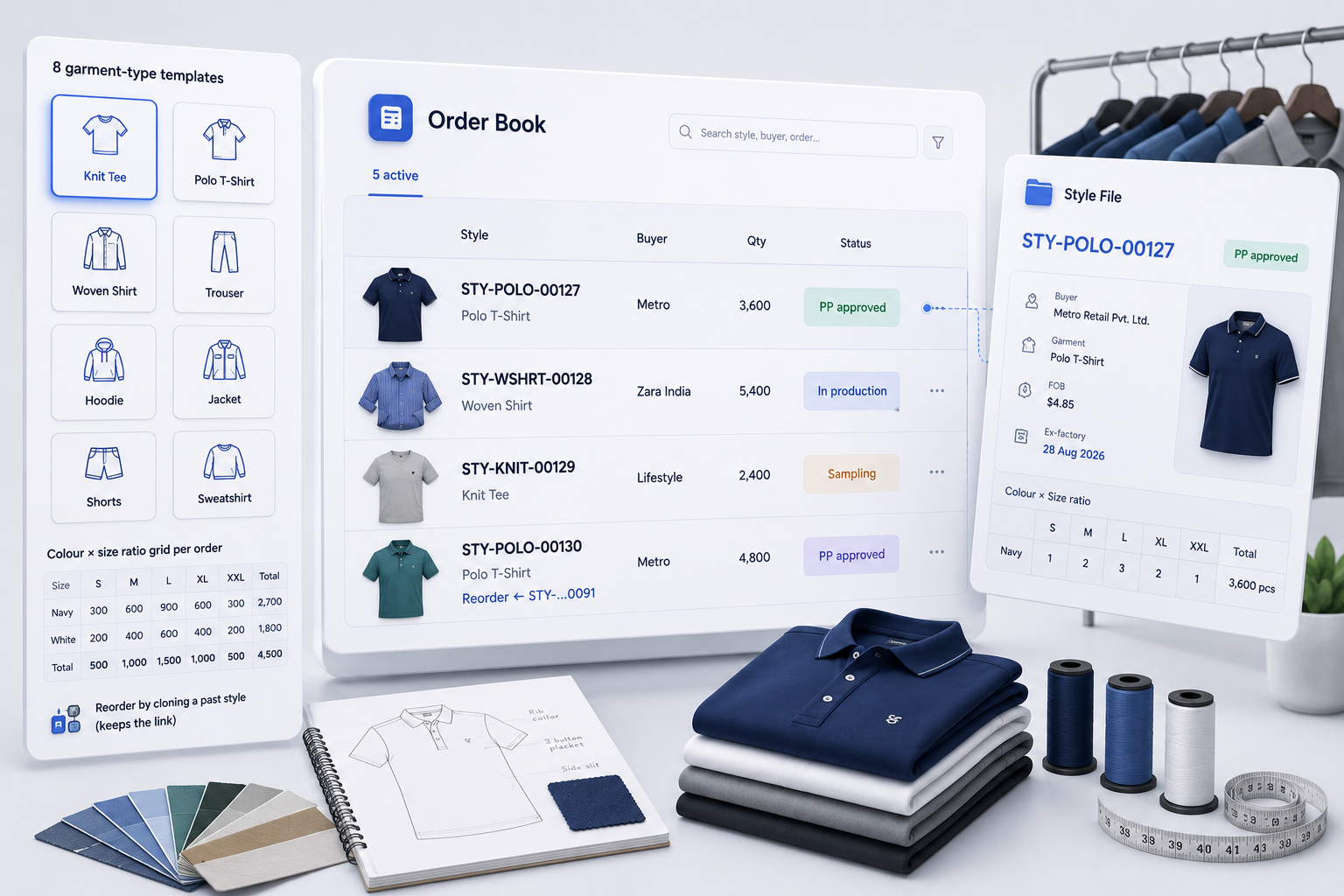
Pick from eight garment templates — knit tee, polo, woven shirt and more — and set the colour and size ratio for the order. All your live orders sit in one Order Book so you can see what’s where. Got a repeat order? Clone the finished style and Flint keeps the link to the original.
- 8 garment-type templates
- Colour × size ratio grid per order
- Reorder by cloning a past style (keeps the link)
Lock the cost, get the BOM
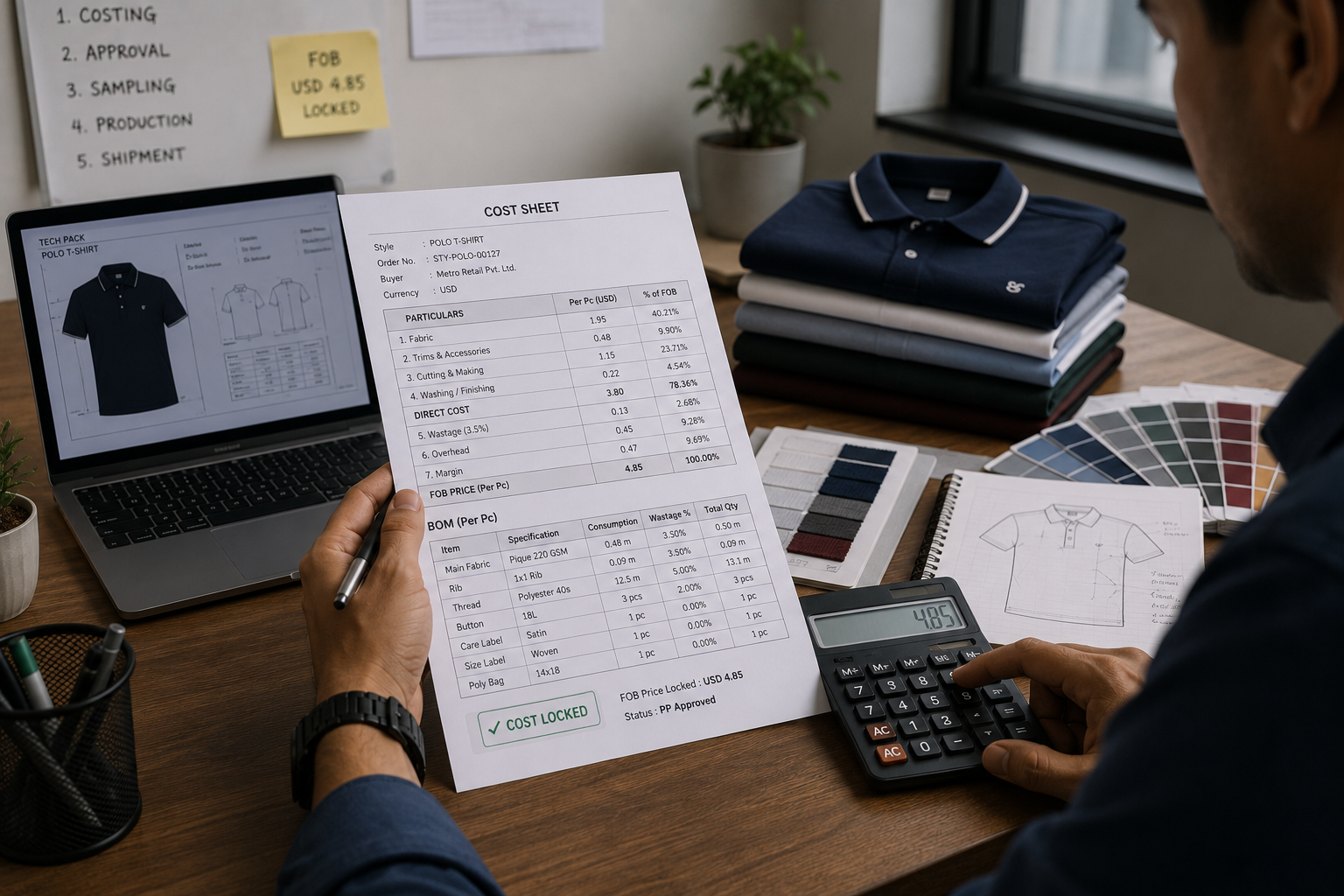
Build the cost — cut-and-make, wastage, overhead and margin on FOB. Lock it once and Flint sets the FOB price, moves the order forward, and builds the bill of materials for you. The BOM is per-piece quantity across the order, plus wastage.
- Cost sheet: CM, wastage, overhead, margin on FOB
- Lock it → FOB price set, status moves on
- BOM built automatically from the cost
Five rounds, one hard gate
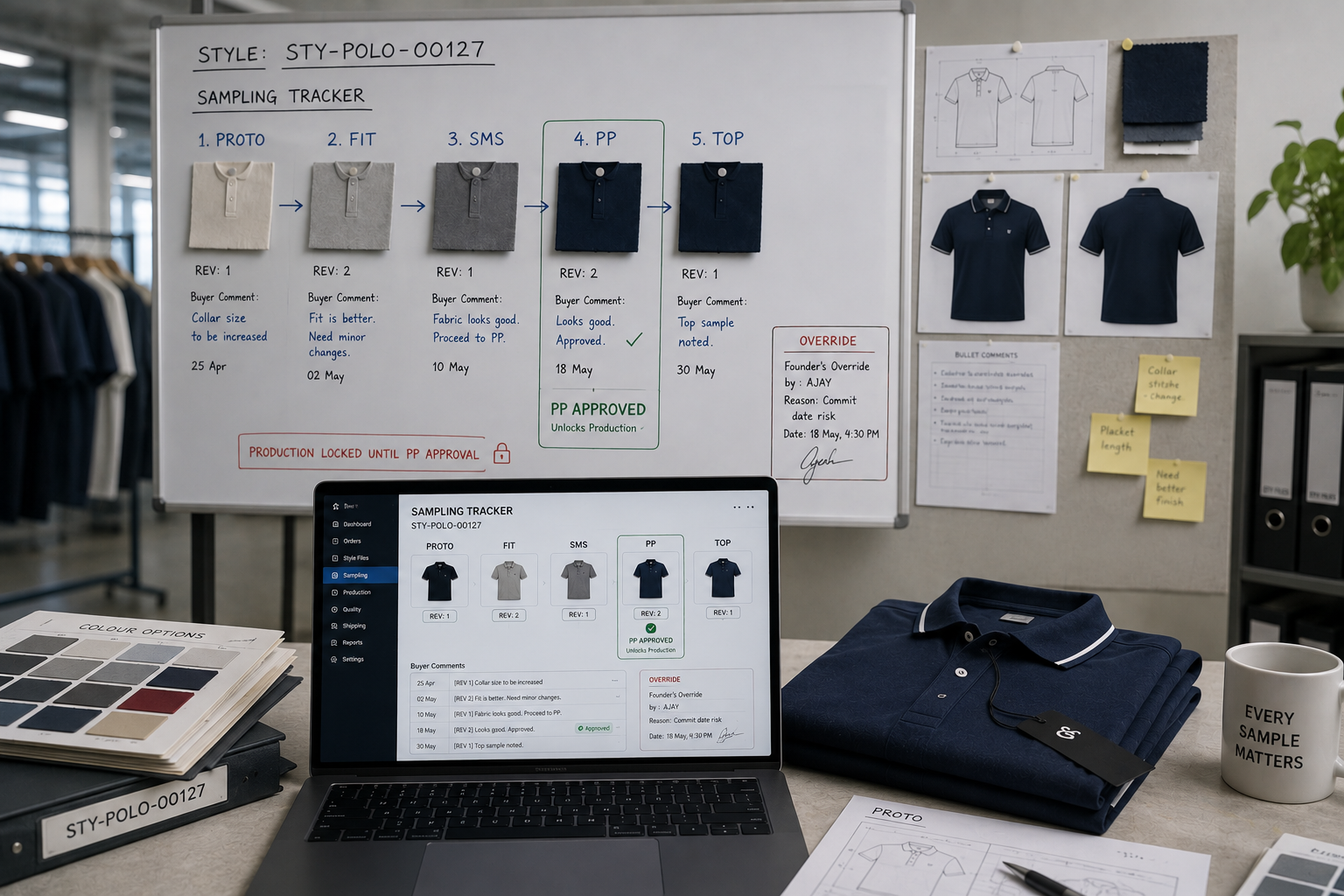
Track every sample round — proto, fit, SMS, PP and TOP — with revisions and buyer comments. Production can’t start until the pre-production (PP) sample is approved. A founder can override, but only with a reason on record.
- 5 rounds, revisions counted automatically
- Buyer comments on each round
- PP approval is the only door into production (founder override logged)
A plan that counts back from the ship date
Milestones are anchored to the ex-factory date — the planned cut date sits 40 days before it. Each milestone shows done, current, overdue or upcoming, with the exact days of slippage. Re-plan or mark done as things move.
- Planned cut date = ex-factory − 40 days
- Milestones show slippage in days
- Templates per garment type
From BOM to the cutting table
Turn BOM lines into vendor purchase orders in a click — it reuses Flint’s normal PO system. Then issue materials to cutting with a PIN sign-off. Each BOM line shows what’s ordered, received and issued, so shortages surface early.
- BOM lines → vendor POs
- Issue to cutting with a PIN sign-off
- Ordered / received / issued shown per line
Daily counts, cut to pack
Record output each day by line across four stages — cut, sew, finish, pack — and watch each order fill up. If nothing’s entered for three days, Flint flags the order as behind. (Full detail is on the Production page.)
- 4 stages: cut, sew, finish, pack
- Captured per line, per day
- “Behind plan” flag after 3 idle days
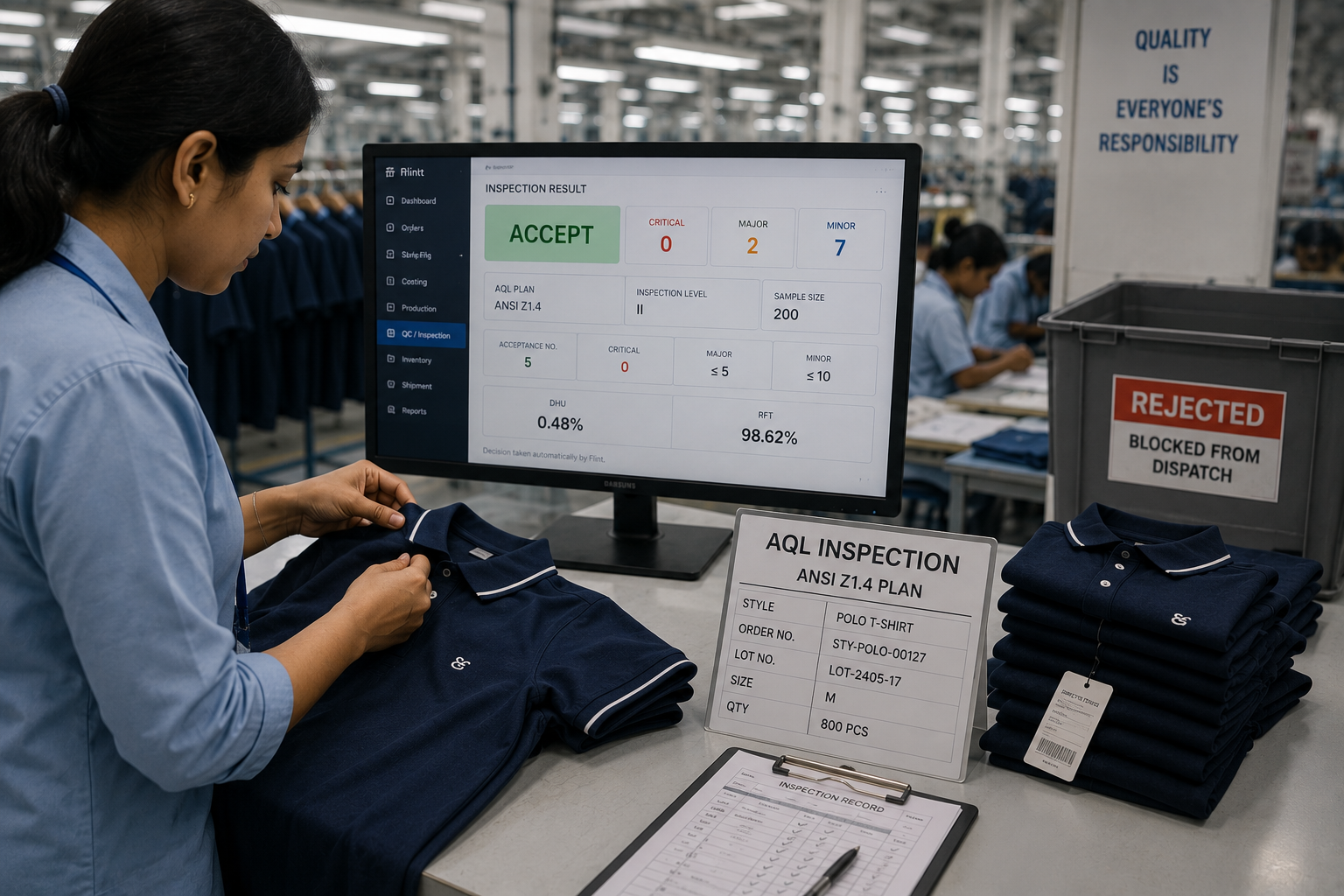
Inspection that can hold a shipment
Every lot gets an end-line AQL check on an ANSI Z1.4 plan. Flint decides accept or reject on its own — majors at 2.5, minors at 1.5, any critical fails — and works out DHU and right-first-time. A rejected lot is blocked from dispatch.
- Accept/reject decided automatically
- Critical / major / minor defects with zones
- DHU and RFT per lot; reject blocks dispatch
Pack it, and the invoice is ready
The packing list builds from pieces-per-carton and the size ratio. Dispatch checks the QC gate first (founder can override, with a reason). Then Flint drafts the export invoice for you — with export tax treatment and the FOB in your buyer’s currency — and you add the shipping documents.
- Packing list from pieces/carton + ratio
- QC gate checked before shipping
- Export invoice auto-drafted (multi-currency FOB)
- Shipping docs (SB/BL/AWB, vessel, container), editable
Features that founders love
Pin it on the garment itself
Open a garment sketch and pin things right where they belong — defect spots (front or back, with a photo), BOM items, and measurement points with tolerances. It’s the tech-pack, made visual.
What’s at risk, right now
One founder view ranks every order by risk — an order is high risk if it’s QC-blocked or past its ship date, medium if the ship date is close or the plan has slipped. It’s a fixed rule, not a hunch.
The paperwork stays honest
Exporting means extra filings and certificates. Flint keeps track of the three things that catch most garment exporters off-guard.
Job-work returns (ITC-04)
If you send fabric to a job worker, GST requires a quarterly ITC-04 filing. Flint builds the summary from your issued materials and exports it as a CSV — ready for your CA.
LUT & RCMC expiry warnings
Your Letter of Undertaking (LUT) lets you export without paying GST upfront. If it expires, your next shipment gets taxed. Flint warns you before it lapses — same for your RCMC certificate.
e-Way bill link-out
Flint doesn’t generate e-way bills itself — it gives you a quick link to the GSTN portal with your shipment details pre-filled, so you create the bill there in one step.
Frequently asked questions
No. It runs on the same Flint workspace as your invoices, stock and books — garment is a set of modules on top, not a different app.
Only a founder can, and only with a reason on record. By default, production is locked until the PP sample is approved.
No — while a lot’s latest QC result is a reject, dispatch is blocked. Clear or re-inspect it and dispatch opens.
It drafts your export invoice in Flint, ready to review. It doesn’t generate an e-invoice IRN.
Yes. Clone a finished Style File and the new one keeps a link to the original, so the costing and BOM history carry over.
Don't take our word for it.
See Flint run your floor.
Book a free 30-minute demo with your own data loaded — no slides. Just Flint handling your orders, stock, production and GST, live.